What PLG Actually Means for an Engineering Team
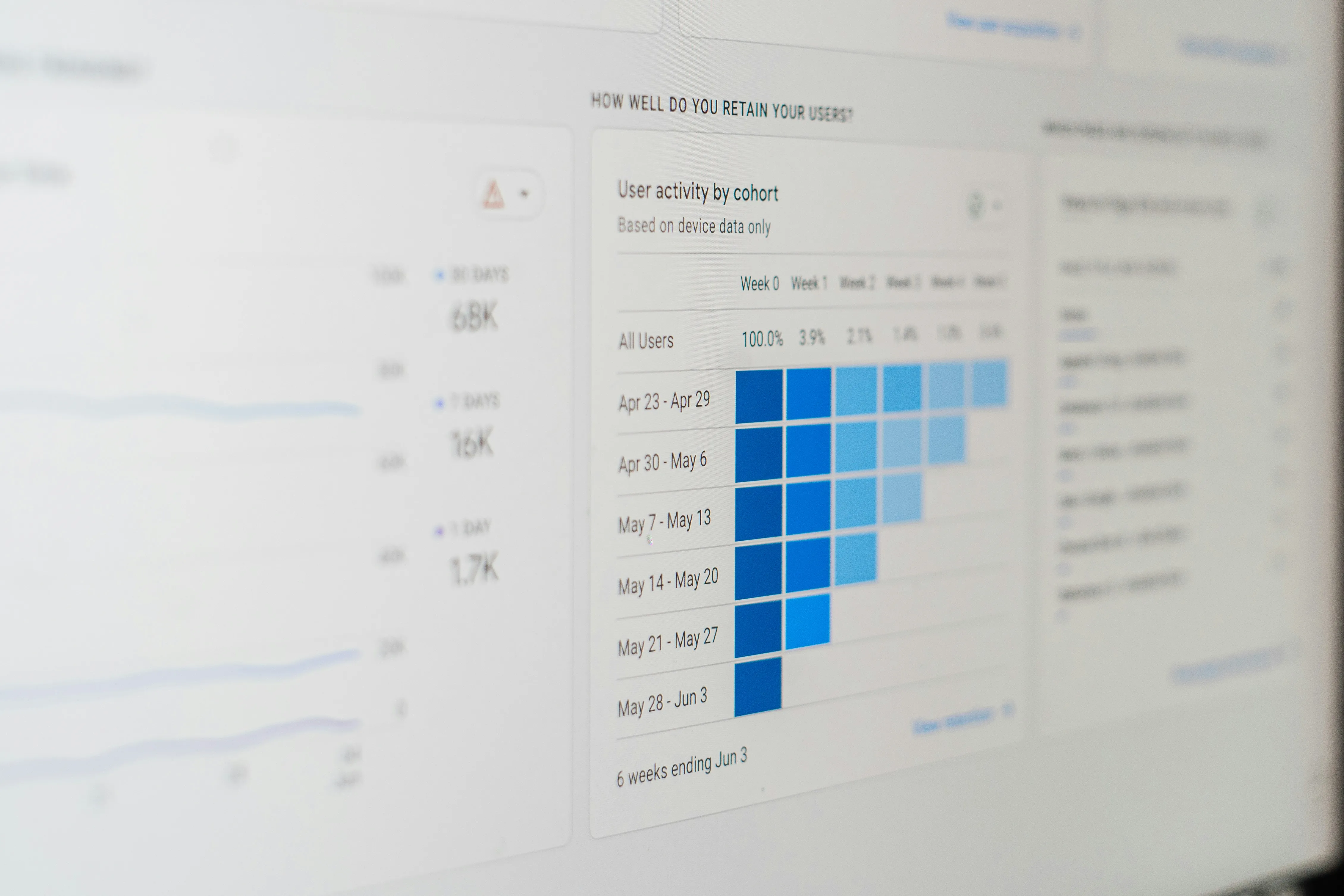
Image Credit: Photo by 1981 Digital on Unsplash
Users were not understanding SingleStore’s value. We had to find a solution and test different approaches. No thorough PRD and months to implement a feature, just a problem to solve and hypotheses to validate. You ship quickly, and a few days later, you’re measuring its impact on how users engage with it. That’s how PLG looks from the engineering POV.
Product-led growth (PLG) is a concept used more often in the business and sales strategy space than in engineering, but it influences 100% of how the product is built. While many products rely on their sales teams to reach out to customers, present demos, and close contracts, those that follow a PLG strategy rely primarily on the product to attract and convert users. So, how does this change how the engineering team approaches product development? I’ll cover what I’ve learned leading the PLG team at SingleStore.
The main areas we have been covering are onboarding (after signup, how can we welcome a new user and make them excited about the product ahead), showing product’s value fast (how can the user understand the value this product brings them quickly and easily), and how can users convert without friction (at the end of the day, we are selling a product).
Think like a product engineer
Working on the PLG team means embracing change and adapting often. It’s not unusual that we are planning a new set of features, and after some experimentation showing that it doesn’t provide value, we end up changing our plans completely. This means adapting our roadmap constantly and being flexible as the product changes as well.
Sometimes you need to delete all of your code and throw a feature away. We used to have an onboarding checklist to guide the users when they joined. They completed tasks and were awarded credits. This worked well, until the product was completely different, offered a free version and credits were no longer meaningful for trial users. The checklist became obsolete and brought no value to new users. Data was showing users no longer completed items and didn’t engage with the checklist, so we decided to change the onboarding experience and remove the checklist completely. Deleting a feature you put so much effort into isn’t always easy but it’s part of the learning process.
In this team, engineers own outcomes, not features. They implement different solutions to solve a problem, iterate and monitor them. They are able to think about the product value, user experience and are curious to continue monitoring their feature and suggest improvements. The definition of “done” is not when the feature is in production, but rather when the problem is solved.
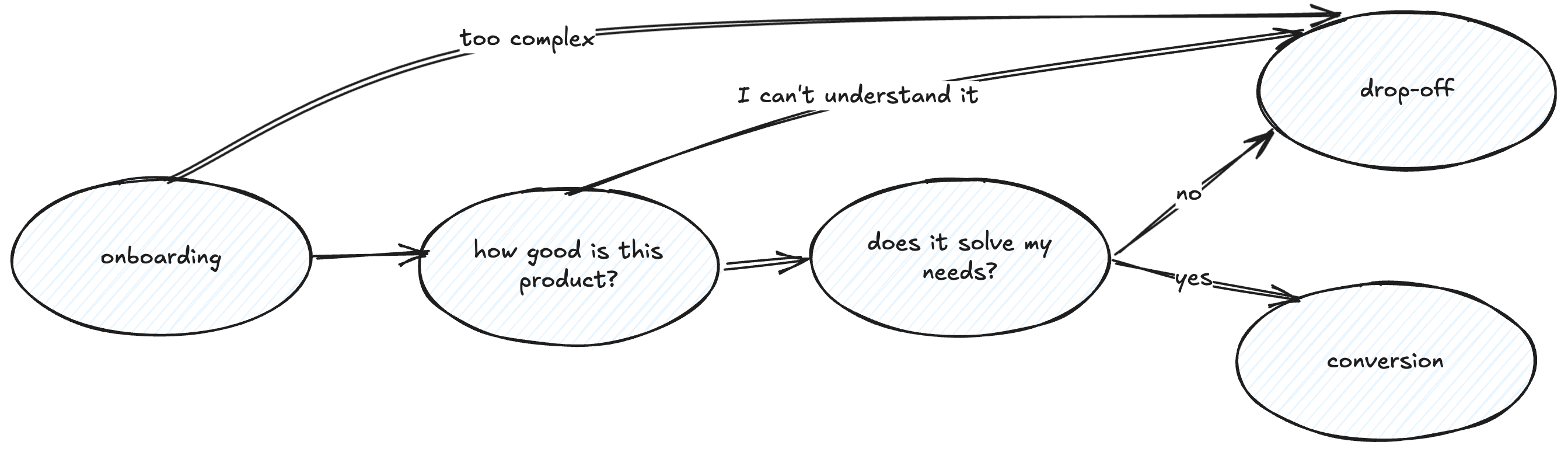
When users are trying a product for the first time, the cognitive load is high. Friction points, confusing user experience or poor performance can lead the user to drop-off very quickly. When implementing a new feature, engineers need to pay attention to all details and interactions required. Overlooking any friction points might be costly at this stage.
Ship small, learn fast
Usually, the feedback we get for this part of the product is very generic: “it’s hard to understand how to use it at first”, “signups don’t complete onboarding and do anything meaningful on the product”, “users are not converting organically”, “users do not understand our product value”. It’s never about that feature we’re missing to implement as we are not usually addressing feature gaps; it’s more about the usage problems we need to solve. And because we very rarely have a clear answer for the problems we need to solve, we need to start with a hypothesis and goals.
At SingleStore, we were facing a limitation where users didn’t understand product value fast enough (or ever):
- Our value: we’re a fast database
- Action needed: the user needs to run a SQL query and get values quickly
- Requirements: the user needs to have data loaded
- Hypothesis: if they land on the SQL editor, with a populated query to run against a pre-loaded dataset, they will understand SingleStore is a fast database in their initial minutes using the product (and now we are reducing the time to value - the aha moment)
We were able to validate the hypothesis, increasing by 44% of users who run a query in about half of the time they used to take to reach that moment.
To test a hypothesis, it’s very important that we can ship small experiments, collect data, and evaluate if they apply or not. It doesn’t make sense to spend 6 months working on a very polished solution just to realize it doesn’t move the needle (on top of losing 6 months’ worth of new users converting).
For quick POCs, it is very useful if you:
- Find the minimum viable product (MVP) that solves the user’s problem - what is essential to solve the main problem and what is nice to have?
- Keep the design minimalist and avoid complex interactions or animations
- Keep implementation as simple as possible (even if it adds a bit of tech debt or it needs to be improved later)
- Validate first before investing on complexity
Some strategies we have used in the past to test concepts without going all in on the implementation:
- Links for external content or resources instead of fully embedding them
- Waiting lists for new features to evaluate how many users would be interested in them, gathering interest before implementing them
- Offer a video tutorial when the setup is taking longer than expected (instead of completely refactoring the feature for better performance 100% of the time)
- Use fake data for progress bars based on estimations, and then make them real and accurate
- Hard-code variables before implementing the support system to make them dynamic
Shipping small isn’t an excuse to ship poorly forever. When the data gives you the green light, go back and do it properly: clear the tech debt, iterate on your solution and close the scope gaps you negotiated away to move fast. That negotiation with product and design is worth its own conversation.
Design and Product Collaboration
I’m a strong believer that all features and products benefit from a strong collaboration between product/design/engineering. This powerful trio is essential to build products that solve users’ problems, deliver a well thought solution with an elegant experience and are easy to use.
Collaboration on a PLG team may feel different because you’re constantly negotiating scope downward under time pressure. This is not always easy, what has been working for me are strategies like:
- Try to understand the problem they are trying to solve and suggest a similar approach that can be done by a simpler implementation (see some strategies on the previous topic)
- Reduce the scope of over-engineered designs until you have the minimum viable solution. Set the expectation of how much time things will take as early as possible, no designer will like to cut a multi-step fancy onboarding to some small improvements only, but it might be the way to do it
- Push back on total redesigns.
- When users couldn’t find their connection string, the proposed solution was a complete redesign of the database connection experience. It would take at least two months. We had to restart from scratch, focused only on the problem. Highlighting the connection string was all they needed. That’s the hardest negotiation to have: pushing back on a solution that sounds more thorough to protect time you don’t have- Avoid creating components from scratch and reuse your design system as much as possible, it will speed your work (while keeping it consistent with other features)
- Split experiments in different phases so you can start gathering data first and define what improvements will be done next
- For example: V1 - waiting list with events tracking only; V2 - waiting list with proper email collection and notification when feature is ready; V3 - feature implemented
- Isolate simple premises for A/B testing instead of including very complex scenarios (more on this below)
- Reserve time for tech debt and cleanup and communicate in advance what needs to be done after the experiment is done ( remove feature flags, hardcoded values, add more testing, etc)
Data or it didn’t happen
No sales team customer feedback is going to tell you if your experiment worked. The data will, but only if you collect it. An experiment without data won’t bring you any value. Build charts for drop-off rates, adoption and conversion and understand the impact of new experiments we’re shipping. Data should guide your decisions, but it doesn’t work alone. It can be manipulated, consciously or not, to tell the story you want. Be honest about what you’re measuring and what it actually means. Identify the key metrics you want all of your improvements to converge to, instead of measuring small interactions alone. For us, it was “percentage of users running queries” and “percentage of users loading data”. A spike on a dashboard feels good, but balance it with your genuine judgment about the whole product experience.
On the tooling side, we use Segment, Mixpanel and, most recently, PostHog, for this. I’ve talked about this before on my “What I Wish I Had Known About Frontend User Tracking” talk. Ensure adding tracking is easy - if you turn this into a complex task, developers will often skip it or forget about it. Create a foundation and a naming convention that scales. If possible, ensure a lot of actions are already covered (clicks, form submissions, page navigation), and the number of events you need to manually add tracking for will reduce a lot. It might be useful to rely on auto tracking, if the tool you use allows it (Posthog and Heap do, for example).
The main task is to identify key events (work with Product if you’re not sure what they are), and ensure they are being tracked. This will allow you to create the dashboards and reports on the metrics you want to measure. If you leave annotations with feature shipping dates on your charts, it will be easier to correlate features with data changes. One thing I like to do is to create the dashboard before shipping the code, to ensure I have all events covered. Can you call it dashboard driven development? :)
One of the most important things we implemented last year was A/B testing (we’re using PostHog for that). Being able to compare directly two scenarios brings a lot of value. If you’re not familiar with the concept, A/B testing consists of randomly loading one version (A) or another (B) for a user, and then compare your premise between the two scenarios. Eg: Did A-version-users drop-off more often than B-version-users?
Yes, this means supporting code for two versions of the same flow. In my experience, this has been a regular negotiation with Product. It’s important you don’t create very complex scenarios for A/B testing, it should be about testing if small tweaks impact the user’s behavior. Otherwise, it might get messy to support two very different versions of the code and feature, ensuring there are no edge case scenarios, support two sets of tests. Code will be way more error prone than before. If you start to have too many ifs and complex conditions, most likely it’s too complex for A/B testing. One simple experiment we ran was to keep the sidebar closed on the first time the user sees the homepage. This was a very simple thing to implement, as we just had to control one variable and it brought very interesting results: reducing the cognitive load actually led the user to focus on what we are showing on the homepage and perform more meaningful actions without losing themselves wandering around on different pages.
Once experiments are done, ensure the losing variant logic is removed, otherwise you will have Feature Flags living on your codebase forever and if statements that will always be true. A/B testing requires discipline to ensure no dead code is piling up on your codebase. Once you learn what works for the user, it’s time to commit to that solution.
Come prepared for negotiation, flexible roadmaps, constant experimentation, and a lot of data. If you enjoy understanding users, refining experiences, and thinking creatively to solve problems, this might be one of the most interesting teams you’ll ever work on.